
Startup Website on a Budget: What to Build First
By Rome Thorndike
Start With Less Than You Think
Early-stage startups do not need a 20-page website. They need one page that explains what they do and captures interested visitors. Everything else is premature optimization.
The minimum viable website is a single landing page with: a clear headline stating what you do and for whom, a brief explanation of how it works, social proof if you have it (logos, testimonials, metrics), and a CTA (email capture, demo request, waitlist).
This page can launch in 1 to 2 weeks and cost under $2,000. It gives you a URL to share with investors, customers, and partners while you build the product. Dropbox famously validated their entire concept with a single landing page and an explainer video before writing a line of product code. Their waitlist grew from 5,000 to 75,000 signups overnight.
Buffer did the same: a two-page site explaining the product concept with a pricing page. When visitors clicked a plan, they saw "We are not ready yet. Leave your email." The email signups validated demand before a single feature was built.
The Build Order
Phase 1: Landing page. $1,500 to $2,500. One page, one CTA, mobile-responsive, 90+ PageSpeed. Enough to validate messaging and capture leads. This is your launch URL for pitch decks, social profiles, and email signatures.
Phase 2: Multi-page site. Add About, Features (or How It Works), and Pricing pages when you have product-market fit signals. $3,000 to $6,000. This is where your website investment starts compounding with organic traffic.
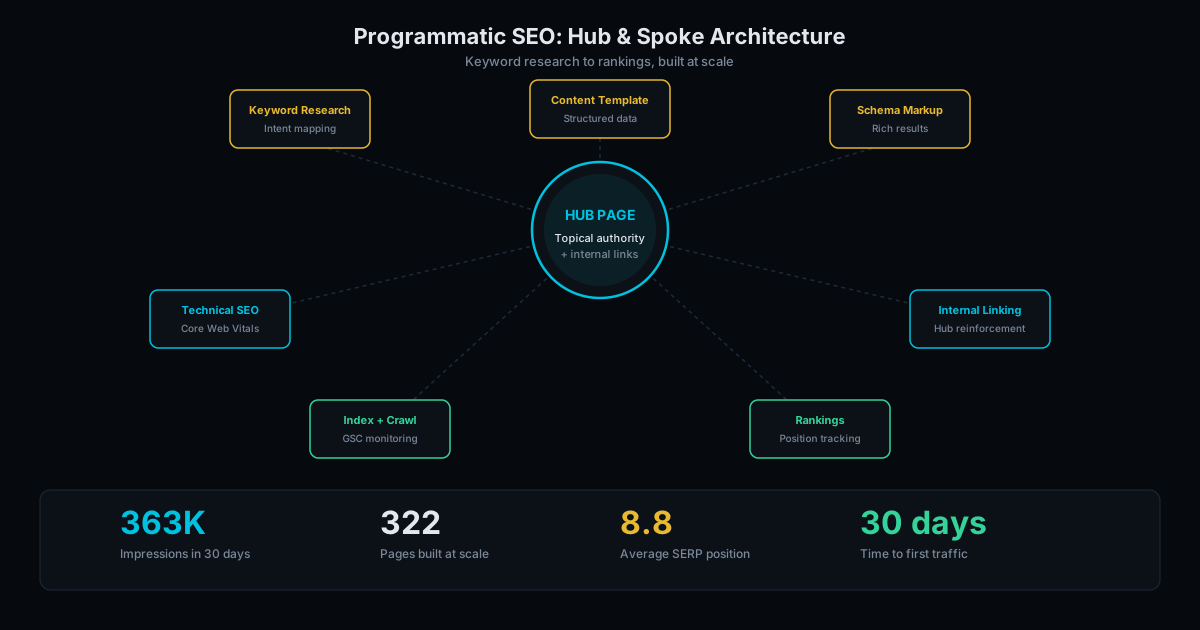
Phase 3: Content and SEO. Blog, comparison pages, integration pages. Start when you are ready to invest in organic growth. This is where programmatic SEO and hub-and-spoke content pay off. Most startups reach this phase 6-12 months after launch.
Do not build Phase 3 before you have Phase 1 working. A 30-page site for a product nobody wants is a waste of budget. Start lean, validate, then invest.
Where to Spend and Where to Save
Budget allocation matters more than total budget. Here is where to spend and where to cut:
Spend on:
- Copywriting. The words on your landing page matter more than the design. "We help [audience] do [outcome]" needs to be sharp, specific, and tested. Bad copy on a beautiful site converts at near zero. Good copy on a plain site still generates leads.
- Mobile performance. Over 60% of web traffic is mobile. A landing page that scores 90+ on PageSpeed Insights loads in under a second. A page that scores 50 loads in 3-4 seconds and loses half its visitors before they read a word.
- Analytics. Install Plausible ($9/month) or Google Analytics (free) from day one. Track where visitors come from, what they click, and whether they convert. Without data, website decisions are guesses.
Save on:
- Custom illustrations. Use high-quality stock photos or simple icons. Custom illustrations cost $2,000-5,000 and do not affect conversion rates at the landing page stage.
- Animations. Motion design looks impressive in a Dribbble portfolio and adds zero value to a startup landing page. Worse, it slows page load and increases development time by 2-3x.
- Blog content (at Phase 1). Do not write 20 blog posts before you have validated your product. Blog SEO takes 6-12 months to compound. At Phase 1, your priority is direct outreach, not organic traffic.
Why Static Over Squarespace or Wix
Startups default to Squarespace or Wix because they seem free. But the hidden costs add up:
- Speed: Squarespace scores 40-65 on mobile PageSpeed. First impressions matter: a slow site signals an unpolished product to investors and early adopters alike.
- Cost: Squarespace costs $192-588/year. Static hosting on GitHub Pages or Cloudflare Pages costs $0. Over 3 years, static saves $576-1,764 in hosting fees alone.
- Scalability: A static landing page extends into a full marketing site without platform migration. Start on Squarespace and you will rebuild later when you outgrow it, paying twice for the same result.
- Ownership: You own each file. No vendor lock-in. Move hosts, change nothing. Your code lives in a Git repository you control.
For a full comparison, read static sites vs. WordPress and why your startup does not need WordPress.
Common Startup Website Mistakes
After building sites for dozens of startups, these mistakes appear in the same pattern:
Launching with no CTA. A landing page that says "Coming Soon" captures zero leads. Replace it with "Join the Waitlist" and an email field. You launched the site to get something from visitors. Make it obvious what that something is.
Hiring a brand agency at pre-seed. A $15,000-30,000 brand identity package is premature when you have not validated the product. Your brand will evolve as you find product-market fit. Spend $500 on a clean logo and $1,500 on a landing page. Rebrand after Series A when you have revenue and a clearer identity.
Building the blog before the funnel. SEO content is a long-term play. If you write 30 blog posts before your landing page converts, you are driving traffic to a page that does not capture leads. Fix the funnel first: landing page, CTA, email capture, follow-up sequence. Then add blog content to drive organic traffic into that working funnel.
Ignoring mobile. Your investor just forwarded your URL to their partner on a phone. Your prospective customer clicked your link from Twitter on a phone. If the mobile experience is broken, these high-value visitors bounce instantly.
Get Started
We build websites for startups at each stage. Landing pages start at $1,500. Full sites start at $3,000. No recurring platform fees. No rebuilds when you scale.
Tell us about your startup and we will recommend the right scope for your stage and budget. See our full pricing.
Frequently Asked Questions
Can I start with a landing page and add pages later?
Yes. This is the recommended approach. A well-built landing page extends into a multi-page site without rebuilding. We design landing pages with this extensibility in mind.
How long does a startup landing page take?
1 to 2 weeks from kickoff. The main variable is content readiness. If you can provide your messaging, value proposition, and assets (logo, screenshots) in week 1, we can deliver in week 2.
Should I build a website before I have a product?
Yes. A landing page with a waitlist or email capture validates demand before you build. If nobody signs up, you have learned something valuable without spending months on product development. The website is part of your validation process, not a post-product activity.
Ready to Fill Your Next Event?
We build the page, set up the pixels, and run the ads. You run the event.