
Static Site SEO Mistakes That Kill Rankings
By Rome Thorndike
Static Is Fast, Not Automatically Indexable
Static HTML sites win on speed by default. They lose on indexing by default. WordPress and Webflow ship a long list of SEO defaults you do not have to think about. Static sites give you full control, which means you also own every mistake. We have rebuilt enough sites from static-gone-wrong to have a clear list of the failure patterns. Here they are, in roughly the order they show up.
Missing Canonicals
Static site generators (Hugo, 11ty, Jekyll, custom Python builders) do not emit canonical tags unless you template them in. The result: every page lacks a <link rel="canonical"> and Google has to guess which URL is authoritative for the content. On sites with both /page/ and /page/index.html accessible, Google often picks the wrong one and your link equity splits.
Fix: add a canonical tag to your base template. Every page should have <link rel="canonical" href="https://yourdomain.com/full-path/"> with the trailing slash if that is your URL pattern. Validate with Screaming Frog or Sitebulb that 100% of pages emit canonicals pointing to themselves.
Trailing Slash Inconsistency
This breaks more static sites than any other single issue. The /about page and /about/ page are different URLs to Google. If your internal links sometimes have the slash and sometimes do not, you have a duplicate content problem on every page.
Pick one pattern. We use trailing slashes everywhere because GitHub Pages, Cloudflare Pages, and most CDNs default to that behavior. Enforce it three ways: in your build (every internal href ends with /), in your canonicals (every canonical includes the trailing slash), and in your server config (redirect non-slash to slash with a 301). Without all three layers, the inconsistency creeps back in within weeks.
Orphan Pages
Static sites build pages from data files. The pages exist, the URLs work, but nothing on the site links to them. Google never finds them. We see this constantly with programmatic SEO setups where 500 pages get generated but only 100 are linked from the navigation or category indexes.
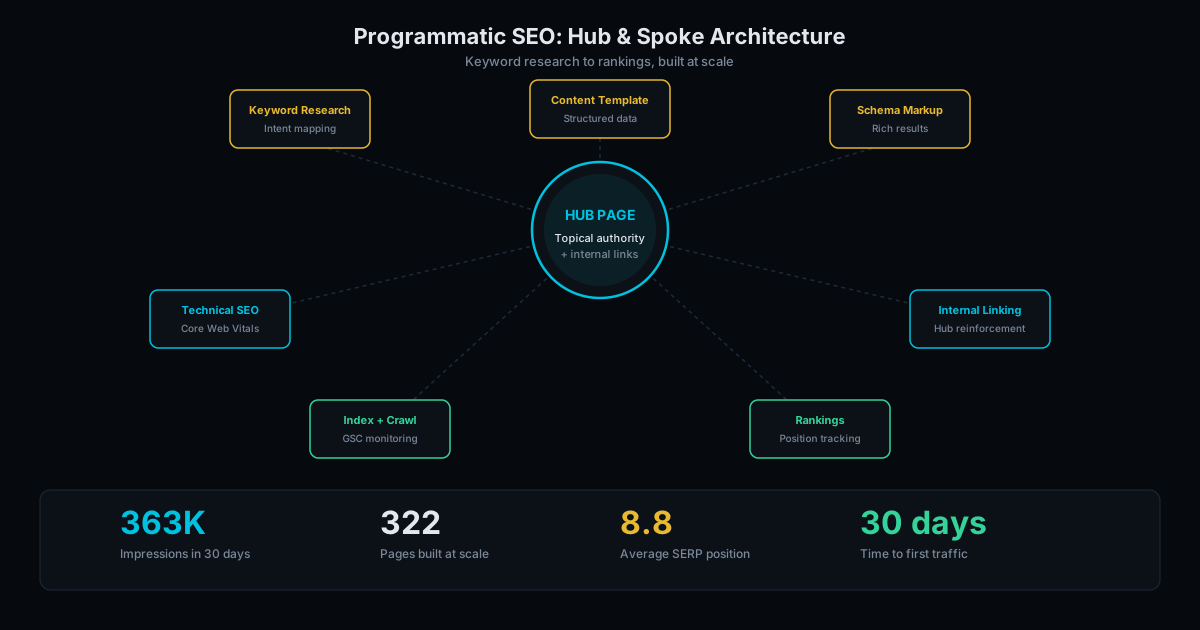
The fix is structural. Every page must be reachable from the home page in 3 clicks or fewer. Build category indexes, location indexes, tag indexes, and a master sitemap-style index page. If a generated page has no logical parent in the site hierarchy, do not generate it. The page that nothing links to has no business existing. Our writeup on programmatic SEO at 363K impressions walks through how we structure the linking layer for big static sites.
Weak Internal Linking
Adjacent to orphan pages: pages that are technically linked but get only a single link from a footer or sitemap. Google sees them but does not value them. Internal links pass equity, and the equity each page receives is proportional to how many links point to it from contextually-relevant content.
The pattern that works: each blog post gets 3 to 6 inbound links from other relevant posts. Each service page gets links from blog posts that mention the service. Each location page gets links from nearby location pages and from blog content about that geography. Build these links into your content generation pipeline. Manual maintenance does not scale past 50 pages.
Sitemap Gaps
Static site generators ship sitemap plugins, but the plugins often skip pages. Common culprits: pages without a publication date in frontmatter, pages marked as drafts that did not get unmarked, pages with future dates set during prep, and entire content folders excluded by a single typo in config.
Validate your sitemap on every deploy. Count URLs in the sitemap, compare to the count of generated HTML files, alert if the numbers diverge. Submit the sitemap to Search Console and check the indexed count weekly. When the indexed count drops more than 5% week over week, the sitemap is usually the cause.
Meta Tag Boilerplate Slip-Through
Static sites with template inheritance have a recurring problem: pages that inherit the default title and meta description without overriding them. A site with 200 pages all titled "Home | Company Name" is a Google indexing nightmare. Search Console flags it as duplicate title tags, but most operators do not check.
Build a validation step into your CI. Before deploy, scan every HTML file for title tags and meta descriptions. Flag any page where the title equals the default template value or where the description is empty. Block the deploy if validation fails. The 10 minutes you spend setting this up will save you 10 months of mysterious ranking drops.
Hreflang for Multi-Language Sites
Sites with English, Spanish, French versions often skip hreflang annotations because static generators do not include them by default. Without hreflang, Google guesses which language version to serve based on user signals and frequently gets it wrong, especially for sites with mixed-language internal links.
If you run multiple languages, every page needs hreflang annotations for every language version including a self-reference. The annotations belong in the <head>, not in the sitemap (or both, but at minimum the head). This is the single biggest SEO mistake we see on internationalized static sites.
JavaScript-Rendered Content
The advantage of static sites is server-rendered HTML. Some teams use that as a base and then add interactive widgets (testimonial carousels, pricing tables, FAQ accordions) that render content from JavaScript. If the content only exists after JavaScript runs, Google may not index it. Crawl budget is finite. JavaScript rendering is expensive. Pages that require client-side rendering get throttled.
Rule of thumb: if the content is searchable (you want it to rank), render it in HTML on the server. If the content is functional (a calculator, a form, a configurator), JavaScript is fine. Mixing the two and assuming Google handles it is the mistake.
Broken Schema After Updates
Static schema is reliable until you change it. Common breakage: updating Article schema to add a new field, copy-pasting from a different page, ending up with a duplicate @id, and breaking the Knowledge Graph entry for the page. The breakage is silent. Pages still render. Google just stops using the schema.
Run schema validation in CI. The Schema.org validator has a JSON API. Pipe every page's structured data through it on each deploy. If any page fails, block the deploy. We cover the structured data setup in schema markup for small business.
The Compound Effect
None of these mistakes are fatal individually. A site with two of them can still rank. A site with five is bleeding traffic. A site with seven or more is the typical "I built it myself, why isn't it ranking?" support ticket we get every week.
The fixes are not glamorous. Canonical tags, trailing slash discipline, link structure, sitemap validation, schema CI. Boring engineering. The compound payoff is consistent ranking that does not require an SEO consultant every quarter.
If you are running a static site and ranking has been disappointing, run the free audit for a baseline reading. Or take a look at our portfolio to see how we structure the boring SEO layer for clients who care about ranking. For the migration version of this conversation, see migrating WordPress to static without losing SEO.
Frequently Asked Questions
Do static sites need canonical tags?
Yes. Without canonicals, Google has to guess which URL is authoritative when content is reachable via multiple paths. Every page should self-reference with a canonical tag matching your URL pattern exactly, including trailing slash.
Trailing slash or no trailing slash?
Pick one and enforce it in three places: internal links, canonical tags, and server redirects. We default to trailing slashes because GitHub Pages and most CDNs handle them cleanly. Either choice works; inconsistency does not.
How do I find orphan pages on a static site?
Crawl your site with Screaming Frog and compare the crawled URL list to the list of generated HTML files. Any page in the file system but not in the crawl is an orphan. Either add internal links to it or delete it.
Should I render content with JavaScript on a static site?
Only if the content is functional, not searchable. Anything you want ranked should render in HTML on the server. Anything interactive (calculator, configurator, form) can be JavaScript. Mixing the two without intention is where indexing problems start.
How often should I validate my sitemap?
On every deploy. Count URLs in the sitemap, count generated HTML files, alert if they diverge. Submit to Search Console and watch the indexed count weekly. A 5%+ weekly drop in indexed pages almost always traces back to sitemap or canonical drift.
Ready to Fill Your Next Event?
We build the page, set up the pixels, and run the ads. You run the event.

Rome Thorndike
Rome Thorndike is the Founder & CEO of SharpPages, which builds event websites around a clear commercial goal: turning audience interest into registrations. He previously led marketing and revenue at Firmograph and held enterprise sales roles at Microsoft and Salesforce.
Connect on LinkedIn