
Local SEO for Multi-Location Businesses: Page-Per-Location Strategy
By Rome Thorndike
Why Each Location Needs Its Own Page
A single "Locations" page with a list of addresses does not rank in local search. Google ranks individual pages for local queries. "Dentist in Austin" returns pages about dentists in Austin, not pages listing 50 dental offices across Texas.
Each location needs a dedicated URL with unique content optimized for that location's city and services. /locations/austin/, /locations/dallas/, /locations/houston/. Each page is a local SEO asset targeting "[service] in [city]" for that market.
BrightLocal's 2024 local search study found that 87% of consumers used Google to evaluate a local business. Businesses with dedicated location pages appeared in local pack results 3x more often than those with a single locations directory page. The investment in per-location pages translates directly to increased local visibility and foot traffic.
What Makes a Location Page Unique
Google penalizes thin duplicate content. Changing only the city name across 50 location pages is duplicate content. Each page needs these unique elements:
- Location-specific description. 2-3 paragraphs about serving that community. Reference neighborhoods, landmarks, or local context. "Our downtown Austin office is three blocks from the Capitol, serving clients in Travis and Williamson counties since 2018."
- Staff at that location. Names, photos, and bios of the team at that specific location. This is unique content Google cannot find elsewhere.
- Hours specific to that location. Different locations may have different hours, holiday schedules, and appointment availability.
- Reviews from that location. Embed or display Google reviews specific to that location's GBP listing. 10+ location-specific reviews provide substantial unique text content.
- Directions and parking. Location-specific access information with an embedded Google Map. "Free parking behind the building. Enter from 4th Street."
- Photos of that location. Interior and exterior photos of the actual location, not stock photos reused across all pages. Google can detect duplicate images across pages and treats them as a thin-content signal.
Schema and GBP Integration
Each location page gets its own LocalBusiness schema with the specific address, phone, hours, and geo coordinates for that location. This structured data connects the page to Google's local search algorithms.
Link each location page to its Google Business Profile. Your GBP listing's website field should point to the location-specific page (/locations/austin/), not the homepage. This strengthens the connection between GBP and the location page.
Set the sameAs schema property to include the GBP URL, Yelp listing, and any other directory profiles for that location. This helps Google connect all of a location's online presence into one entity.
The schema should also include areaServed with specific cities, counties, or zip codes. For a dental practice, listing "areaServed": ["Austin", "Round Rock", "Cedar Park", "Pflugerville"] tells Google which geographic searches should surface this location.
For more on implementing structured data, see our schema markup guide.
Content Strategy for 50+ Locations
Generating unique content for 50+ location pages requires a systematic approach. Here is a process that scales:
Data collection per location: Create a spreadsheet with 15-20 fields per location. Address, phone, and hours are the baseline. Add: year opened, number of staff, services offered, neighborhood name, nearby landmarks, parking details, public transit access, and 3-5 sentences of location-specific copy.
Templated but unique descriptions: Write 3-4 paragraph templates with variable slots. "Our [city] location, opened in [year], serves clients across [county/region]. Located in the [neighborhood] area near [landmark], we offer [services list]." The template provides structure; the data provides uniqueness.
Reviews as content: Pull 3-5 Google reviews per location into each page. This adds 200-500 words of unique, user-generated content per page. Refresh reviews quarterly to keep content current.
Local market data: For service businesses, include location-relevant statistics. A dental practice can show "Austin median household income: $85,000" and "Number of dental practices in Austin: 450." This context is unique per city and demonstrates local awareness.
Seasonal updates: Add a section for seasonal information that varies by location. Holiday hours, seasonal services, local events you sponsor or attend. This gives you a reason to update pages quarterly, which sends freshness signals to Google.
Before launching location pages, run through our website design checklist to ensure each page meets quality standards.
Internal Linking for Multi-Location Sites
Internal linking structure determines how Google understands the relationship between your locations and distributes page authority across your site.
Hub page: Create a main /locations/ page listing all locations organized by state or region. This hub page targets broad searches like "[brand] locations" and "[brand] near me." Include a map with all locations pinned and a filterable list below.
Regional grouping: For 50+ locations, add a regional layer: /locations/texas/ linking to all Texas locations. This targets "[brand] locations in Texas" and distributes authority to state-level searches.
Nearby locations: Each location page should link to 3-5 geographically closest locations. "Other locations near you: Dallas (12 miles), Plano (18 miles), Fort Worth (30 miles)." This keeps visitors on your site if the current location is not convenient and creates a geographic link cluster.
Service page connections: Link from each location page to relevant service pages, and from service pages back to location pages. "Looking for teeth whitening in Austin? Visit our Austin location." These cross-links connect your service content with local intent.
Build Your Location Pages
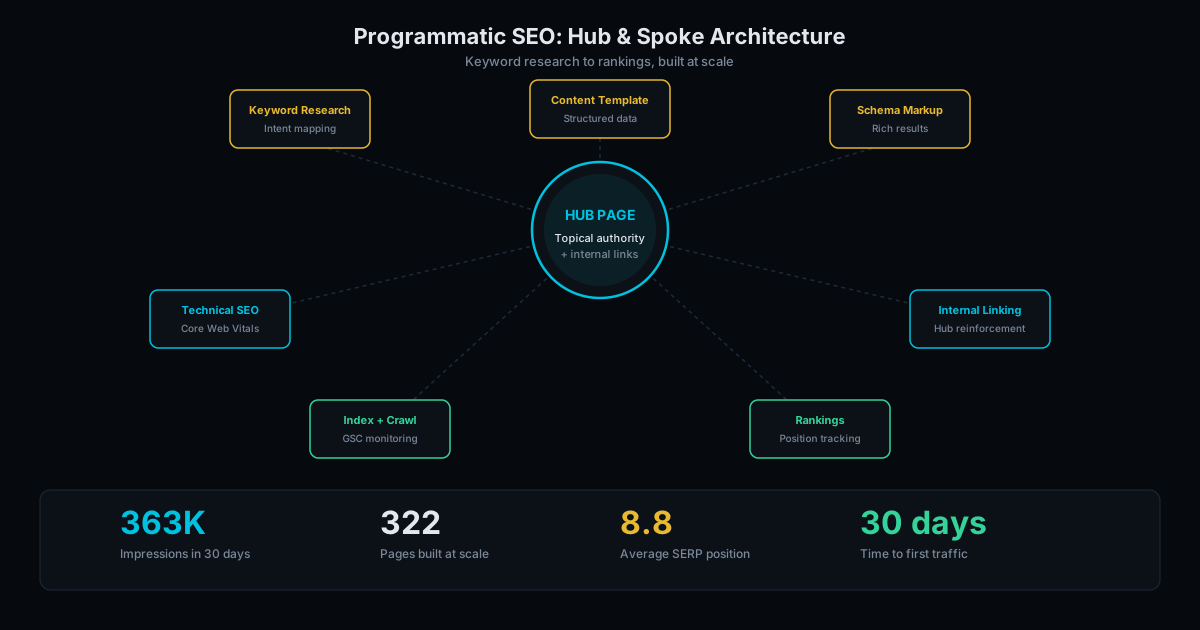
We build location pages for multi-location businesses using programmatic SEO. Each page is unique, schema-rich, and optimized for local search. Generated from structured data, so adding locations takes minutes, not weeks.
Location page generation: $3,000 to $10,000 depending on location count and content depth. See pricing for the full breakdown. Contact us to discuss your multi-location SEO strategy.
Frequently Asked Questions
How many locations can you generate pages for?
No limit. The build process scales to any number. We have generated 300+ pages in a single build. Each page gets unique content, schema markup, and SEO optimization regardless of volume.
Do duplicate service descriptions across locations hurt SEO?
Yes, if the descriptions are identical. Each location page needs unique supporting content. The service list can be the same, but the descriptions, staff, photos, and local context must differ. Template-driven generation ensures structure consistency while data-driven content ensures uniqueness.
Should I use subdomains or subdirectories for locations?
Subdirectories (/locations/austin/) consolidate domain authority. Subdomains (austin.example.com) split it. For most multi-location businesses, subdirectories are the right choice. They benefit from the main domain's authority and are simpler to manage.
Ready to Fill Your Next Event?
We build the page, set up the pixels, and run the ads. You run the event.