
Franchise Website Strategy: One Brand, Many Locations, One Codebase
By Rome Thorndike
The Multi-Location Website Problem
Franchise businesses need location-specific websites that maintain brand consistency. The typical approach: each location gets its own WordPress install with the same theme. 50 locations = 50 WordPress sites to maintain, update, and secure. The maintenance burden scales linearly with location count.
The alternative: one codebase that generates location-specific pages from structured data. A build script reads location data (address, phone, hours, staff, services) and generates a page for each location. Add a location? Add a row to the spreadsheet and rebuild. The maintenance burden stays constant regardless of location count.
The cost difference is dramatic. A franchise with 100 locations running individual WordPress sites pays $500-1,500 per site annually for hosting, maintenance, and security updates. That is $50,000-150,000 per year. A single static codebase generating 100 location pages costs $0 in hosting on GitHub Pages or Cloudflare Pages and requires one set of updates applied everywhere simultaneously.
The Template Approach
Build one location page template with placeholders for variable content. The template defines the layout, design, brand elements, and conversion flow. The data fills in the specifics:
- Location name, address, phone, hours
- Staff bios and photos
- Services offered (if they vary by location)
- Google Maps embed with the location pinned
- Location-specific reviews or testimonials
- Unique meta tags, schema markup, and OG tags per location
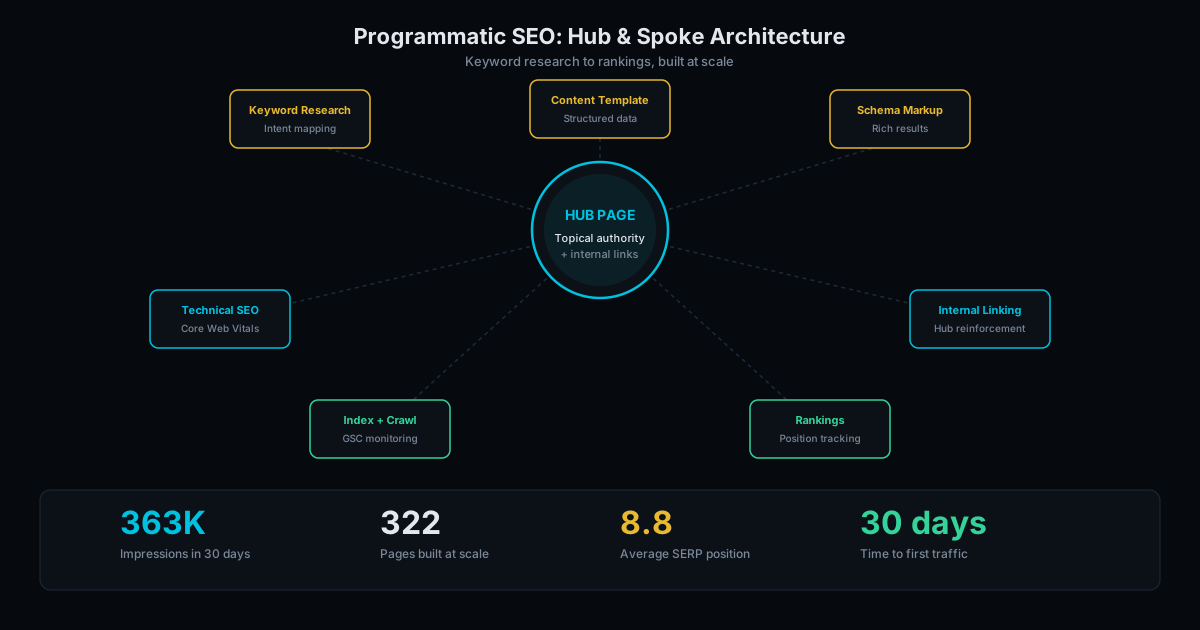
This is programmatic SEO applied to franchise websites. The same architecture that generates 300+ comparison pages generates 50 location pages with unique content per page.
The template also enforces brand guidelines automatically. No rogue franchisee can change the logo, modify the color scheme, or add an unauthorized banner. Brand consistency across 10 or 500 locations, guaranteed by code rather than manual oversight.
Each generated page should weigh under 100KB total (HTML, CSS, images optimized). Compare this to a typical WordPress location page at 2-4MB. Lighter pages load faster, rank higher, and cost less in CDN bandwidth. A franchise with 100 locations serving 500,000 page views per month saves $200-500/month in bandwidth costs alone with static pages.
Local SEO at Scale
Each location page is a local SEO asset. It targets "[service] in [city]" for that location. With proper LocalBusiness schema, unique content per location, and links to each location's Google Business Profile, these pages compete in local search for each market you serve.
The internal linking structure matters: a hub page lists all locations by region or state. Each location page links back to the hub and to nearby locations. This creates a geographic content cluster that signals to Google that you serve a wide area with legitimate local presence.
Implement Schema.org LocalBusiness markup on each location page. Include the specific address, phone, geo coordinates, opening hours, and accepted payment methods. Google uses this data to populate local pack results, knowledge panels, and Maps listings.
For franchises with 20+ locations, also build city-level landing pages that aggregate nearby locations. A page for "Our Locations in Dallas-Fort Worth" linking to 5 individual location pages strengthens your presence for metro-level searches while each location page handles neighborhood-level queries.
Security and Maintenance at Scale
WordPress multisite installations are a security liability. A vulnerability in one plugin compromises each location site. In 2023, a single plugin vulnerability affected 4 million WordPress sites simultaneously. For a franchise running 100 WordPress installs, the attack surface is 100 times larger than necessary.
Static sites eliminate this risk. There is no server-side code to exploit, no database to inject, no admin login to brute-force. The "site" is a folder of HTML files served from a CDN. The only update cycle is content changes, which go through version control with review before deployment.
Updates to the template (new phone number format, updated footer, new service offering) happen once in the codebase and deploy to each location page in a single build. Compare this to updating 100 individual WordPress sites, which takes hours even with management tools like ManageWP or MainWP.
Version control adds another layer of protection. Each change is tracked in Git with a full history. If a bad update goes live, roll back to the previous version in seconds. WordPress rollbacks require database restores that can take hours and risk data loss.
Performance scales with the static approach too. Each location page loads in under 1 second on mobile because it is pre-rendered HTML served from a CDN edge node. Run any location page through PageSpeed Insights and expect 90+ scores across the board. A WordPress multisite with 100 locations will have inconsistent performance depending on which plugins each site admin has installed. Learn how to hit that 90+ target in our PageSpeed optimization guide.
Build Your Franchise Site
We build franchise and multi-location websites with template-driven location pages, LocalBusiness schema per location, and 90+ PageSpeed across each page. One codebase. Any number of locations.
Multi-location sites start at $5,000 for the template and initial locations. Programmatic location page generation for 50+ locations: $3,000 to $10,000. See pricing for details. Contact us to discuss your franchise web strategy.
Frequently Asked Questions
Can each location have its own look?
The brand elements (colors, fonts, logo) stay consistent. Location-specific content (photos, staff, services) varies per location. If specific locations need different designs, they can have template variations while sharing the same codebase.
How do you handle location-specific services?
The data includes a services field per location. If Location A offers 8 services and Location B offers 12, their pages reflect that. The template renders whatever services are listed for each location.
What about individual location managers updating their page?
Updates go through the data source (spreadsheet or CMS). Location managers can submit changes that are reviewed and applied during the next build cycle. This prevents unauthorized content changes while allowing locations to keep their information current.
Ready to Fill Your Next Event?
We build the page, set up the pixels, and run the ads. You run the event.