
Event Landing Page vs Full Event Website: Which Do You Need?
By Rome Thorndike
The Difference
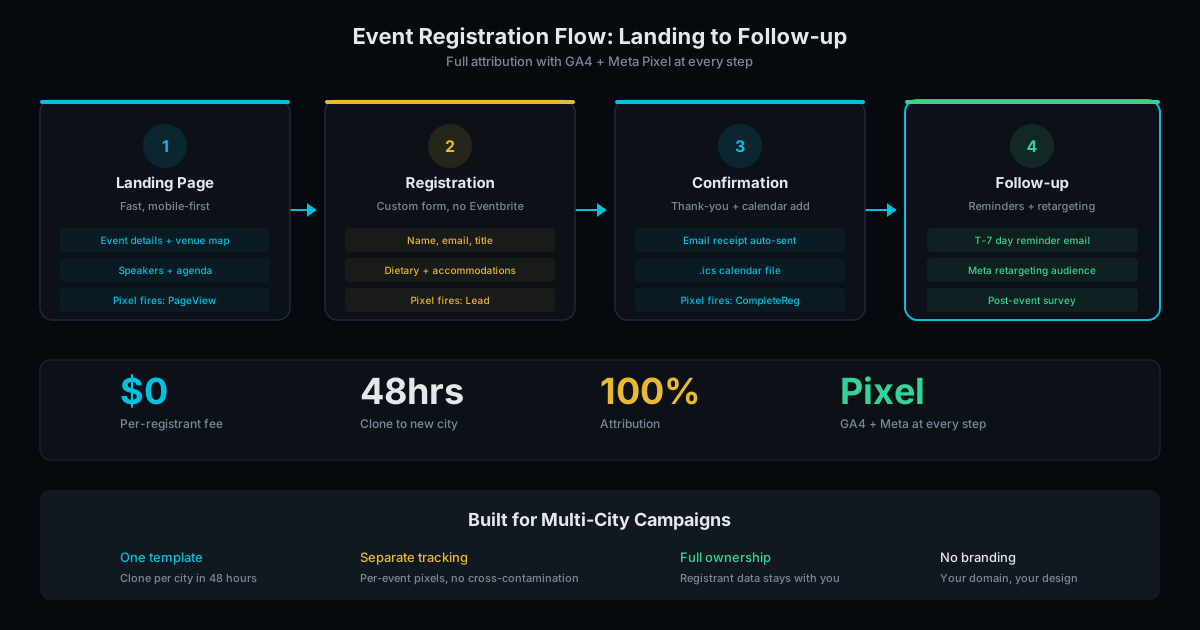
An event landing page is a single page with everything a potential attendee needs: event details, speaker info, agenda overview, and a registration form. One URL, one scroll, one CTA.
A full event website is a multi-page site with dedicated pages for speakers, agenda, sponsors, venue, FAQs, and past events. Multiple URLs, navigation menu, deeper content.
The right choice depends on your event's complexity, your audience size, and what you need the site to do beyond collecting registrations.
When a Landing Page Is Enough
A single landing page works for:
- Single-track events. One agenda, one audience, one day. A webinar, workshop, meetup, or small conference.
- Events under 500 attendees. The attendee's decision is simple: am I interested? Is the date free? Register. A single page answers both questions.
- Events with short sales cycles. The attendee sees the page and registers in the same session. No need for deep content to nurture the decision over weeks.
- Budget-conscious launches. A landing page costs less and launches faster than a full site. Get registrations flowing, then expand if needed.
Most events start here and never need more. A well-built landing page with clear messaging and a short form converts better than a sprawling website with too many clicks between landing and registration.
When You Need a Full Site
A multi-page site makes sense for:
- Multi-track conferences. Multiple agendas, breakout sessions, and speaker tracks. Attendees need to browse and plan their day. A single page cannot hold 40 speaker bios and 8 session tracks without becoming overwhelming.
- Events with sponsorship tiers. Sponsors expect a dedicated page with their logo, description, and links. This is often a contractual deliverable. A sponsor paying $10,000+ for a platinum tier expects more than a logo in a grid.
- Events with SEO goals. If you want the event to rank in search for industry keywords, you need multiple content pages to build topical authority. A single page can rank for the event name, but not for broader industry terms.
- Recurring events. Annual conferences benefit from a persistent site with past event archives, photo galleries, and testimonial pages that build credibility year over year.
Cost and Timeline Comparison
Here is what each option looks like in practice:
Landing page: 1-2 weeks from kickoff. Content needed: event name, date, location, speaker names and bios, agenda overview, and registration form fields. Cost is lower because the scope is contained: one page, one form, one set of tracking.
Full event website (5-10 pages): 3-5 weeks from kickoff. Additional content needed: detailed speaker bios, session descriptions, sponsor packages, venue details with maps and parking, FAQ content, and potentially a past events archive. Cost is 3-5x higher than a landing page because each page requires design, content, and testing.
The biggest cost driver is not design or development. It is content. Speaker bios, session descriptions, sponsor logos, and venue photography take time to gather. Events that launch late almost always stall on content, not code.
The hybrid approach: Launch a landing page 8-12 weeks before the event to start collecting registrations. Add pages (speakers, agenda, sponsors) as content becomes available. By event day, you have a full site, but registrations started flowing months earlier. This is the approach we recommend for most mid-size events (200-1,000 attendees).
Performance Considerations
Event pages have a unique performance requirement: they often receive traffic spikes from email blasts, social media pushes, and ad campaigns. A page that loads fine under normal traffic can crash under a spike.
Static HTML pages handle traffic spikes without breaking a sweat. There is no server-side processing, no database queries, no PHP execution. A CDN serves the same cached file whether 10 or 10,000 people request it simultaneously. We have served 50,000+ concurrent visitors on event pages with zero downtime.
WordPress and other CMS platforms struggle with traffic spikes unless you add caching layers, CDNs, and upgraded hosting. A $20/month shared hosting plan will crash under 500 concurrent visitors. Managed hosting that handles spikes costs $50-200/month.
Page speed also affects Core Web Vitals, which Google uses as a ranking signal.
For event pages specifically, page speed directly impacts registration rates. Google research shows a 1-second delay in mobile load time reduces conversions by up to 20%. When someone clicks your ad or email link and waits 4 seconds for the page to load, they leave. Our event pages load in under 1 second on mobile, built on static HTML with a global CDN. See our PageSpeed comparison for platform benchmarks.
Start With a Landing Page, Scale Up
Our recommendation: launch with a landing page. If your event grows or your needs expand, add pages. The landing page becomes the homepage of a larger site. No rebuilding, just extending.
Our event site service starts at $2,000 for a landing page with full tracking (GA4, Meta Pixel). Multi-page event sites are scoped based on page count and features. See pricing details or tell us about your event and we will recommend the right scope.
Frequently Asked Questions
Can I add pages to a landing page later?
Yes. A well-built landing page can become the homepage of a multi-page site. We build event pages with this extensibility in mind. Adding speaker pages, agenda pages, or sponsor pages later is straightforward.
How fast can a landing page launch?
1 to 2 weeks from kickoff. If content (speaker bios, agenda, event details) is ready, we can launch in under a week. The build is fast. Content gathering is usually the bottleneck.
Do I need a separate domain for my event?
Not necessarily. You can host the event page as a subdirectory of your main site (yourcompany.com/event-name/) or on a separate domain. Subdirectory preserves your main site's domain authority. Separate domain is cleaner for external promotion.
Ready to Fill Your Next Event?
We build the page, set up the pixels, and run the ads. You run the event.

Rome Thorndike
Rome Thorndike is the Founder & CEO of SharpPages, which builds event websites around a clear commercial goal: turning audience interest into registrations. He previously led marketing and revenue at Firmograph and held enterprise sales roles at Microsoft and Salesforce.
Connect on LinkedIn